Professional Billiards Scoring

Every Shot.
On Every Screen.

A professional scoring system built for pool halls, tournaments, and clubs. Real-time displays, remote viewing, and zero compromise on reliability.
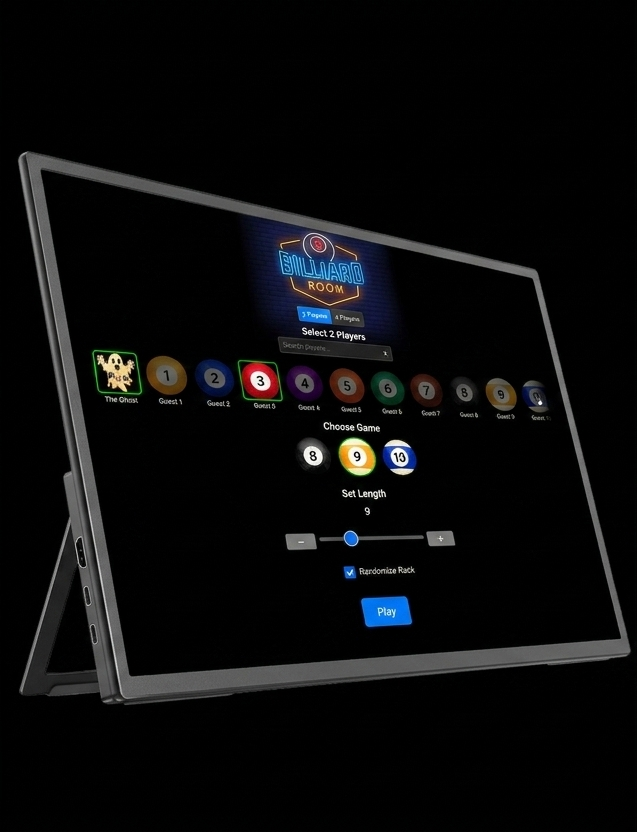
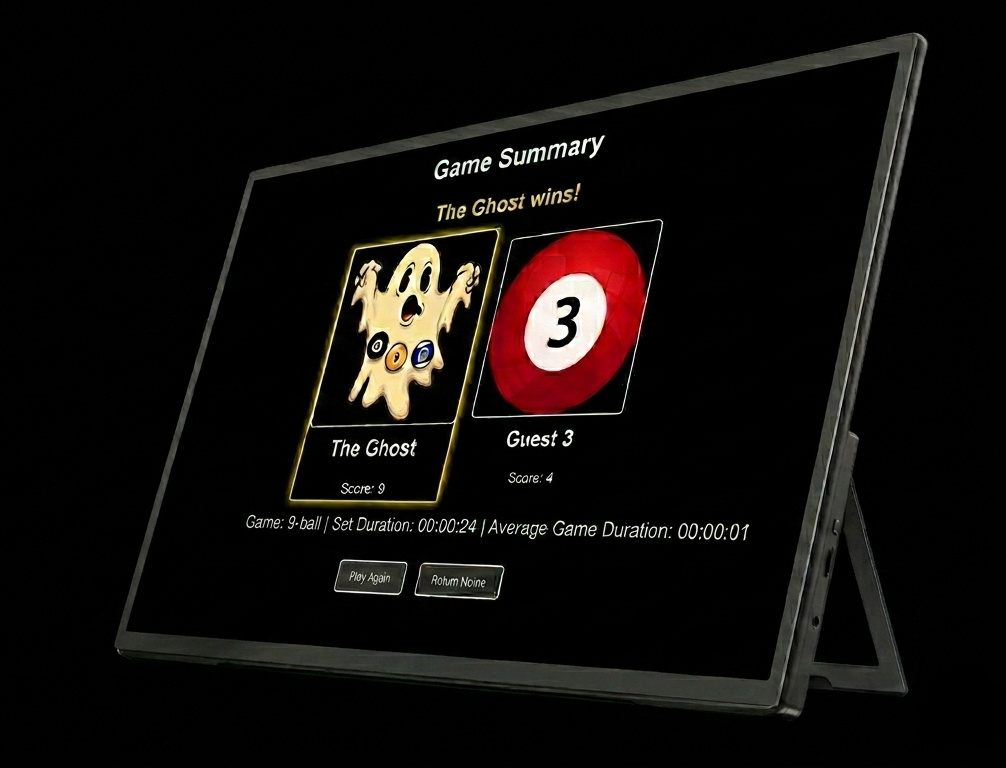
Pool Scoreboard — left view
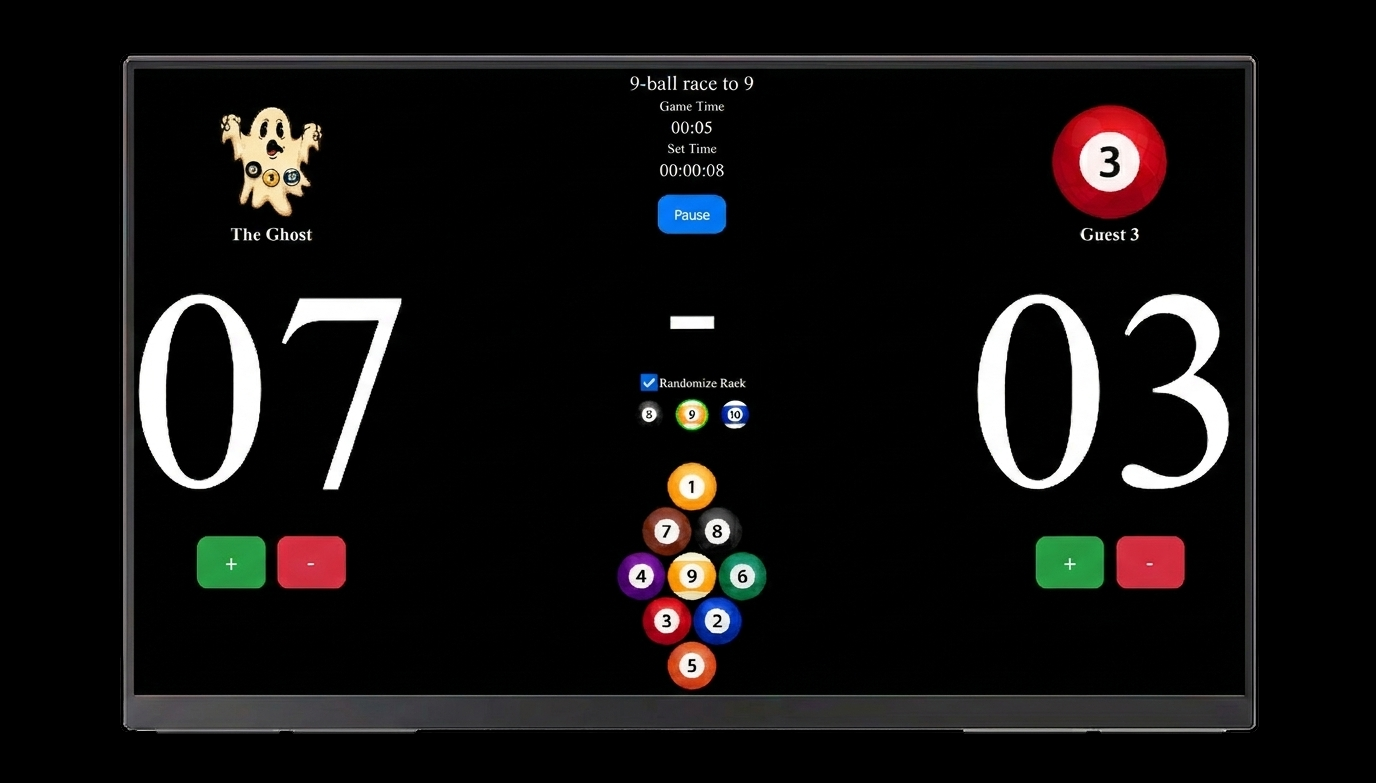
Pool Scoreboard in action
Pool Scoreboard — game summary
6+
Game modes supported
15+
Simultaneous scoreboards
<1s
Remote update latency
0
Internet required
Zero internet required for scoring

Built for the venue

Offline-first.
Connected when it matters.

Scoring, timers and match tracking all run locally — no internet needed, no cloud dependency mid-match. Wi-Fi is used only when required: for software updates and, as integrations roll out, to sync with tournament platforms and player databases.

<1ms
Local response time
100%
Core features offline
Wi-Fi
On demand, when needed

Display compatibility

Any size
HDMI monitor.

Designed for HDMI-connected touchscreen monitors from 10" up to 24" and beyond. Use with the included stand or mount it to the wall beside each table. The interface is optimised for touch input at 1920×1080 and higher — no cursor, no distractions, just the match.

10"
15"
19"
24"+
HDMI 1920×1080 minimum Touch-optimised UI Cursor-free interface Tabletop stand or wall mount

Game modes

Six games.
All available now.

8-Ball, 9-Ball, 10-Ball, One Pocket, Bank Pool and Straight Pool are all available now.

8
8-Ball
Classic 15-ball game. Solids vs stripes. Pocket the 8 to win. Randomised rack generator included.
9
9-Ball
Fast-paced rotation game. Hit the lowest ball, pocket the 9 to win. Diamond rack layout.
10
10-Ball
Strategic call-shot game. Triangle rack, must call every ball. Pocket the 10 to close out the frame.
1P
One Pocket
Each player owns one pocket. First to pot 8 balls in their pocket wins. A tactical, defensive masterclass.
B
Bank Pool
Every scoring shot must be banked off a cushion first. Race to 5 or 8 balls — clean, precise and punishing.
14.1
Straight Pool
14.1 continuous — call every shot, score a point per ball. Race to a target score across multiple racks.

Features

Built for the
pool hall floor

2, 3 player & doubles
Head-to-head, three-player sets, or doubles matches. The layout adapts automatically to the format selected.
🎲
Rack randomizer
Built-in rack randomizer prevents pattern racking. Ball positions are shuffled every game to keep play fair.
Live remote view
Follow any active game from any device on the same network. Scores, timers and match state update in real time — no app required.
🎥
Live stream overlay
A browser-based overlay for OBS or any streaming tool — four layouts (banner, corner, sidebar, intermission card), per-tournament branding (logo, accent colour, brand text), and sub-50ms score updates via server-sent events. Drop the URL into a browser source and you're live.
Game & set timers
Per-game and full-set timers with automatic average game duration calculated at match end.
🏆
Match summary
A results page with confetti, final scores, winner highlight, and complete match statistics on completion.
Break tracking
The break shot is tracked and recorded for every game, so you always know who broke each rack.
Configurable targets
Race length and ball targets adjustable per game. Bank Pool supports 5 or 8-ball targets; Straight Pool races to 25–250 points.
Foul & penalty tracking
Fouls tracked per player with automatic score deductions. Straight Pool applies -1 per foul, with a -15 penalty and forced re-rack for three consecutive fouls.
🎯
Player ratings
Every completed singles match feeds an automatic skill rating for each player — the same proven approach used by the world's major pool-rating systems. A house leaderboard ranks your regulars, and a player's rating moves up or down after every match, shown right on the scoreboard and the results screen.
👤
Player photos
Give every player a photo that appears on the scoreboard, remote view and results. Import headshots automatically alongside player data, or upload your own — cropped to a clean circular avatar for a polished, broadcast-ready look.

Scoreboard Commander

Run your venue
from one screen.

Commander is the management dashboard that ties everything together. Assign games to any scoreboard, build and run tournaments, manage players and tables — all from a browser on any device on your network.

🏆
Tournament builder
Build single-elimination, true double-elimination or combined-elimination brackets from scratch — singles or doubles, any race length. Match progress propagates live as results come in, and crossover-stage pairings can be redrawn at any point before the bracket converges.
👥
Player management
Maintain a player roster across sessions. Add, edit and assign players to matches from the Commander dashboard in seconds.
📊
Table management
See every table at a glance — which are active, idle or in a tournament. Monitor live scores and timers across all tables simultaneously.
📳
Remote game assignment
Push a game to any scoreboard remotely — set the game type, players and race length from Commander without touching the display.
🔗
Data import
Import players, teams and full tournament brackets from external sources — singles or doubles, with seeded draws preserved. Re-import any time to refresh scores without losing local match assignments or results.
Centralised settings
Configure all connected scoreboards from one place. Update game defaults, display settings and notifications without visiting each table.
Walkovers & withdrawals
Record forfeits, withdrawals or disqualifications without the match being played — the opponent advances with a clean race-to-0 score and the bracket propagates automatically. Whole-tournament withdrawals cascade through every future match the player would have been in.
🕒
Match queueing
When a table is busy, queue the next match instead of waiting. Pick "run next" or "after current queue" — Commander dispatches automatically the moment the table becomes free, so events keep flowing without manual intervention.
🔔
Smart notifications
Get notified when matches finish, players are double-booked, tables go offline, or matches run longer than expected. Each notification type is individually toggleable, grouped into clear categories (tables, game lifecycle, tournaments, teams).
📈
Match analytics
Per-game-type duration averages computed from your venue's own play history. See how long 8-Ball typically runs at your pool hall, how 14.1 matches compare, or how 5-ball vs 8-ball Bank Pool diverges — and tune your scheduling defaults accordingly.
💾
Backup & restore
Download a complete snapshot of your venue — match history, players, tournaments, settings and preferences — as a single file, any time. Automatic weekly backups run on their own, and restoring from any snapshot is a single click if hardware ever fails.
📡
Zero network setup
New scoreboards find the Commander on your network automatically — no IP addresses to type, no configuration to wire up. Plug a table in and it appears on the dashboard, ready to assign.
Fleet updates
Update every scoreboard in your venue from one screen — push new software to all tables at once, with progress shown per table and active games never interrupted. The Commander itself updates the same way: upload a file or pull a verified release, and it installs and restarts on its own.
🔄
Never lose a game
Even if the dashboard is switched off or off the network, scoreboards keep recording every completed match locally. The moment the Commander comes back, those games sync automatically — full scores, players and history intact. Play never depends on the dashboard being up.
Shot clock Add-on
Add a machine-vision shot clock to any table. A camera watches the table, detects the break and each shot, and a live countdown appears right on the scoreboard and on your stream overlay — turning amber, then red, with a foul call on expiry. A referee can impose it on a table from the Commander at any time, mid-match. Requires Scoreboard Commander plus a camera device per table; not available on standalone scoreboards. Currently in active development.

How it works

Simple to run.
Built to last.

01
Runs on a local SBC
Pool Scoreboard runs entirely on a small single-board computer connected to your display. No cloud, no subscription, no internet needed.
02
Touchscreen control
The scoring interface is built for touchscreens mounted beside each table. Large touch targets, no keyboard required.
03
Network-wide viewing
A central ScoreViewer device aggregates all active scoreboards and serves a live dashboard to any device on your network.
Table 01
Table 02
Table 03
ScoreViewer
Any device

Ready to elevate
your pool hall?

Pool Scoreboard is built for venues that take the game seriously. Get in touch to discuss your setup.

Contact us